Rise AI Media
Centralizing media creation, management, and AI generation — helping authors build richer courses 25% faster.
Context & Challenge
Authors spent hours switching between various tools for media management, disrupting their creative flow. Our goal was to streamline these processes into one intelligent system, allowing authors to focus on creativity while harnessing AI-generated content.
Fragmentation problem
When authors need AI-generated content, they're forced to leave their workflow and juggle multiple external platforms.
5.3
~2hrs
89%
Average AI tools used per course
Lost to context-switching weekly
Want AI integrated in-tool
External AI tools authors use
When authors need AI-generated content, they're forced to leave their workflow and juggle multiple external platforms.
AI Image Generation
73%
Midjourney, DALL-E, Stable Diffusion
External platform required
AI Copywriting
68%
ChatGPT, Jasper, Copy.ai
External platform required
AI Video Tools
41%
Synthesia, Runway, D-ID
External platform required
AI Audio & Voice
52%
ElevenLabs, Murf, Descript
External platform required
Context switching
❌ Without Integrated AI
1. Leave authoring tool
2. Open external AI tool
3. Generate & download
4. Return & upload
⏱️ 4-8 minutes per asset
✓ With Rise AI Media
1. Open AI modal in-canvas
2. Generate & place instantly
⏱️ Under 60 seconds per asset
My role

I led the design strategy for Rise’s AI Media system — a tool to help course authors generate and manage media more efficiently without leaving their workflow.
Unpacking the design process
Now, let's dive into the nitty-gritty of the design journey.
Research
Interviews revealed authors struggled with fragmented workflows and switching between tools to source media was slowing production by 40%. We needed a way to integrate media creation directly into Rise.

“It’s confusing to add various media types because it’s all over the place and really limited.”

“We don't currently have a way that allows for generating or importing of media into a library or into another course.”

“There's no way to browse the Content Library items outside the authoring apps. This limitation means I cannot easily access and use stock images for other purposes, such as content outlines”
Strategy & Design Principles
I established design principles around flow continuity, simple on the surface and trust that aligned to our product principles. We prioritized an integrated media modal over separate upload tools to maintain focus and reduce context-switching.
Stay in Flow
I need a way to efficiently generate, organize, search, and manage both stock and custom media assets within Articulate 360.
Simple on the surface
Introduce AI gradually with clear controls and guardrails. Authors should feel supported, not replaced or confused.
Build Trust
Make AI outputs transparent and editable. Show where images come from, what prompts were used, and allow full customization.
Exploring a unified in-tool solution
I started by exploring a unified experience regardless of the media type. All users should have a consistent and expected tooling system to help with generation and efficiency. This led the direction for a design system components others could leverage.


Concept testing
User testing revealed that a single AI Media hub cut task time by 32%. The final UI featured contextual prompts for in-line image and audio suggestions.
7 of 8
Users found the Course Media library helpful and want to create innovative multimedia learning experiences. Cost and speed of production are also key factors.
Rise AI Media
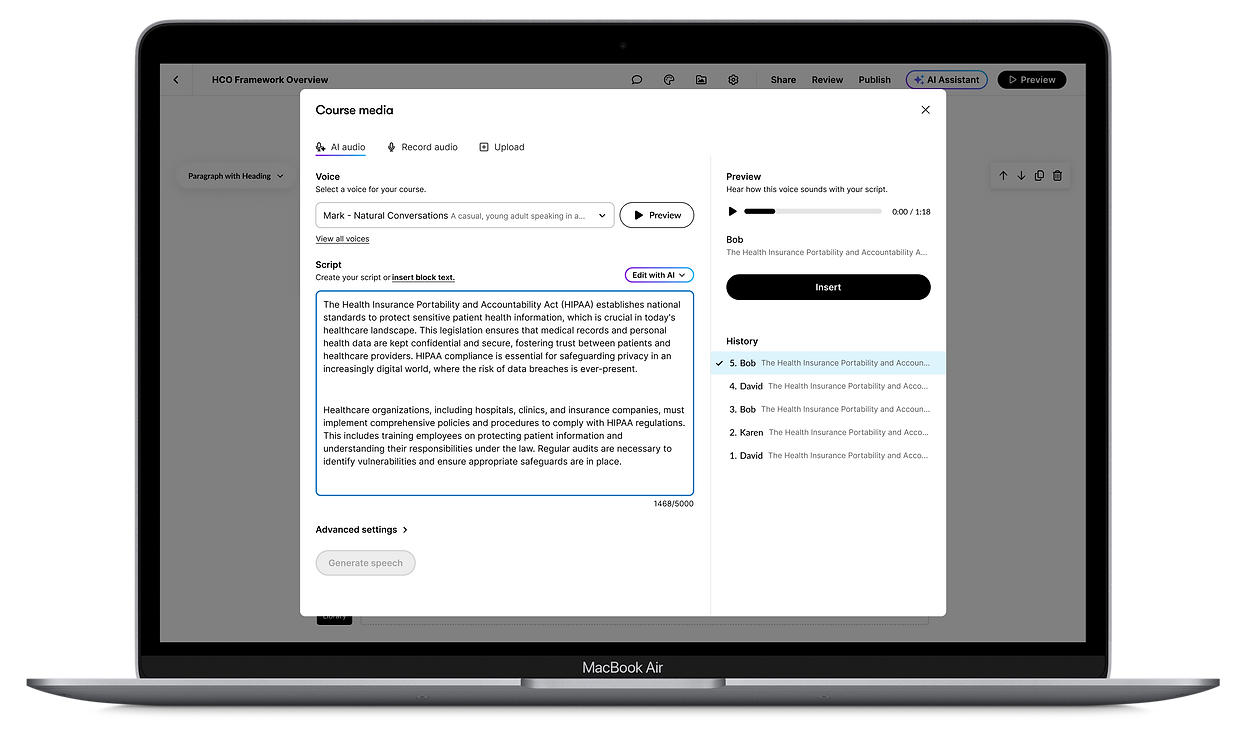
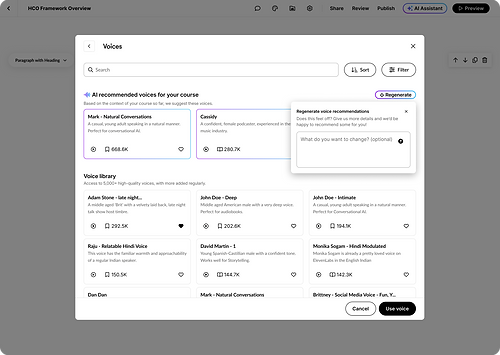
Rise AI Media brings AI image generation and AI audio (Text-to-speech) directly into the authoring environment.

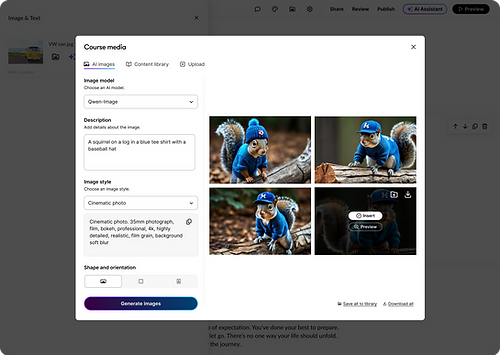
AI Images
Authors can now create unique images for their lessons directly in Rise, without to leave the platform or pay for additional products. They can easily add images to lesson blocks while maintaining their workflow.


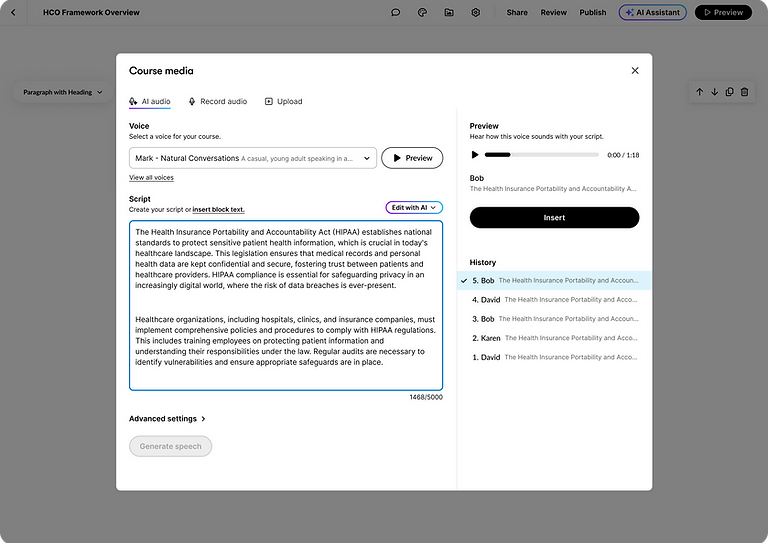
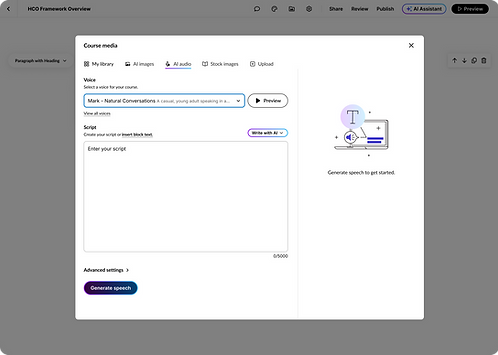
AI Audio
As an instructional designer, I aim to utilize text-to-speech in Rise to create accessible audio content without live recording or uploads. Users can select from 5000+ high-quality voices and use our AI tool to generate scripts for realistic audio that enhances learning.

Member feedback from private preview

"Articulate Rise just added Al narration in all of their text blocks. The realism is phenomenal! Yeah, I'm happy."
Member A

"I am LOVING, what the Articulate team did with this. It was a long time coming, but I think [TTS in Rise] has been implemented perfectly."
Member B

"I'm loving this for quick audio sprinkled throughout the course! Fantastic add!" Member C
Impact